You need a 192 kHz capable sound card to be able to send out the FM Stereo and RDS signal
from your PC.
96 kHz sound cards will output a partial stereo signal without RDS (this
might still be somewhat useful - it does sound better than mono).
44.1 / 48 kHz sound cards will only output a mono signal (the Stereo indicator on your receiver
will still be turned on though!)
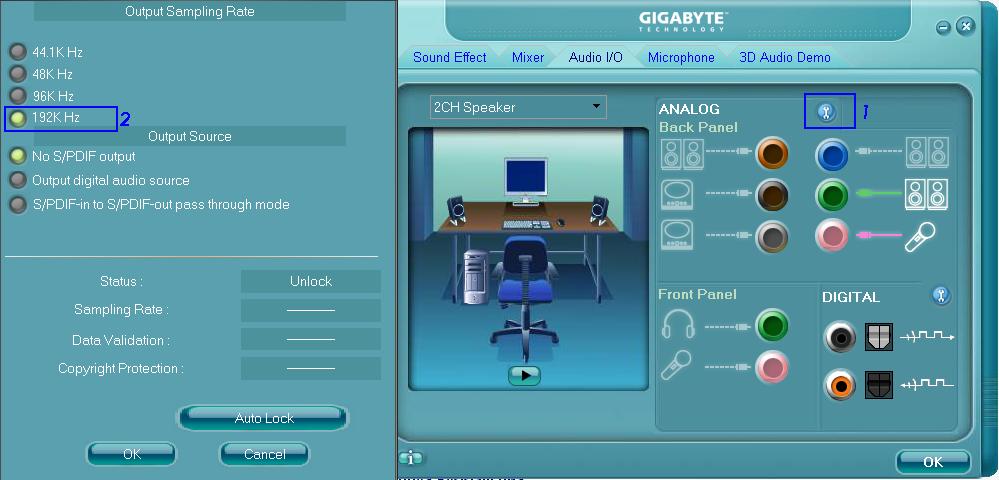
For some sound cards (such as the Realtek ALC883), you may need to change the configuration
of the driver to run at 192 kHz.
Windows Vista by default converts everything to 44.1 kHz. See the next page for a solution.
Required hardware: Sound card
Your sound card must be capable of playing audio with a sampling rate of 192 kHz, without modifications.
If your sound card does not support 192 kHz sample rate, Windows will automatically
convert audio to a sample rate that your sound card does support. The stereo and RDS information
will be lost in that process.
So far, Stereo Tool FM stereo and RDS encoding has been reported to work with the following cards:
Marian Trace Alpha / Marian Trace 8
The best cards out there, to my knowledge. They are the only cards that I know that have DC-straight output (there is no highpass filter/condensator that removes a DC offset). The biggest difference between the two cards seems to be that the '8' has 8 inputs and outputs.
Native Instruments - Audio Kontrol 1 (external USB card)
Realtek ALC883 / Realtek HD Audio ?
I have received conflicting reports about this card. One user reported getting only partial stereo
sounds, and no RDS. It was later reported to work however if you set it to 192 KHz in the Audio
card settings (see this image, submitted by forum user
halfdead).
So what makes a card good? Any change that the card introduces in the signal can deteriorate the stereo separation and RDS reception.
But what's worse is that changes to a tightly limitied signal will cause spikes that cause the FM signal to get over -75/+75 kHz modulation. Lowering the output level prevents this, but also leads to a lower audio level. So with a better card you can sound louder without risking overmodulation.
It does not work with:
Creative X-Fi Audio
Measurements by several people have shown that this card severely
deforms the audio that is played through it. Due to this, most of the
stereo effect is lost, and when a lot of stereo sounds are present
the RDS stops working - if it works at all.
Any other Creative / SoundBlaster card
Not tested by me, but reported on numerous sites to introduce unwanted
effects.
Asus Xonar DS Audio
Received one report that it doesn't work; frequencies above 20 kHz
are audible (and they shouldn't be). No RDS or Stereo separation at all.
If a card is regarded highly by audiophiles, and is capable of playing 192 kHz audio,
it will probably work.